Inventory every boundary in the agent workflow
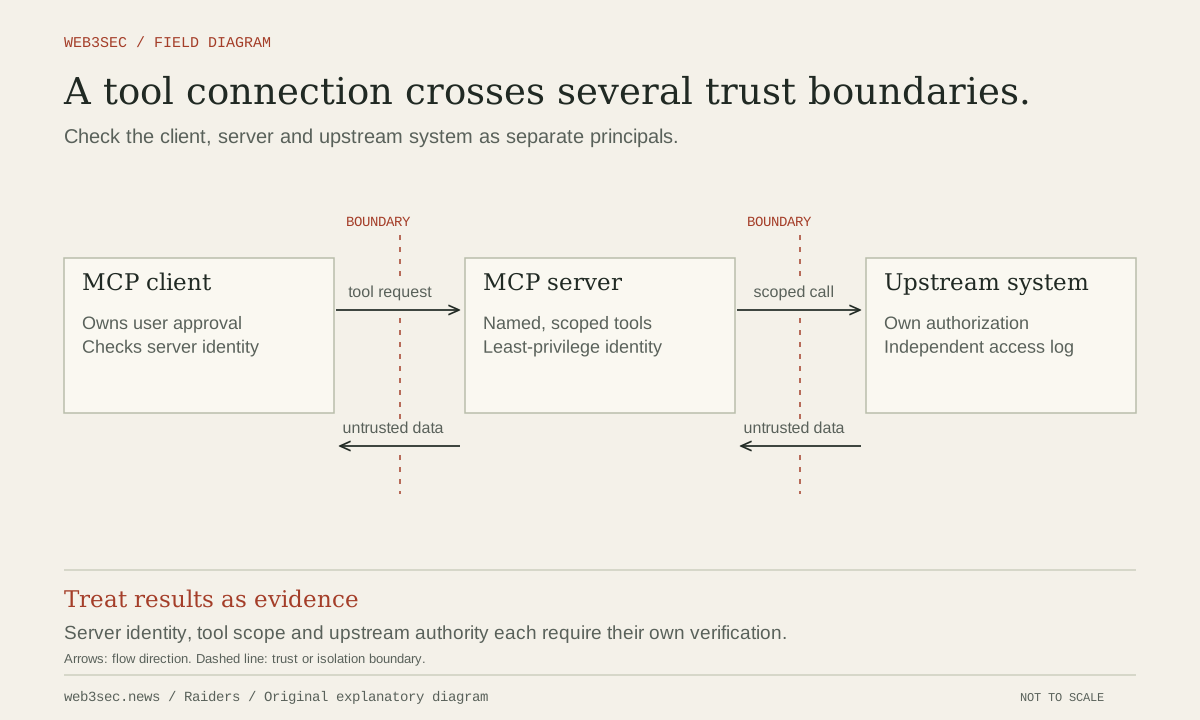
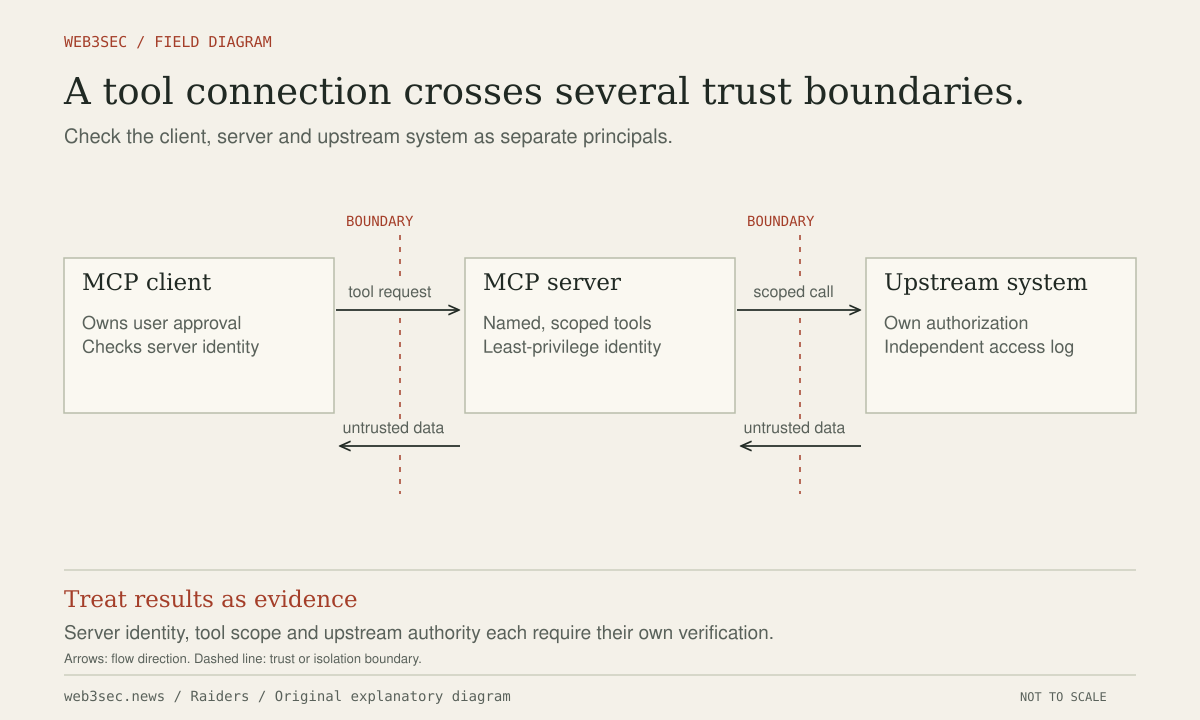
Assign an integration owner and list the model-facing tools, MCP servers, connected services, local processes and identities used by the agent. Record which tools read private data, write externally, execute code or change permissions. Include tool descriptions and updates in the reviewed configuration: they influence how the agent selects an action even when they are not visible in the user’s ordinary prompt.
Distinguish local stdio servers from remotely hosted HTTP services. The MCP authorization specification addresses HTTP transport authorization; a local server is also executable software running with the operating-system permissions it receives. Installing a convenient server package can therefore expose files or environment variables before any model decision occurs. Treat installation and runtime access as separate review steps.
Enforce a narrow, explicit authority model
The MCP security guidance covers token passthrough, confused-deputy behavior and server-side request risks. Use the intended authorization flow and validate tokens for the resource that receives them. Do not accept an arbitrary upstream token as proof that a client may perform every downstream action. Scope each integration to the user, tenant, resource and operation it actually needs.
Our procedure is to separate read-only research from privileged execution. Use an execution environment with limited filesystem and network reach, explicit upload destinations and task-scoped credentials. An approval should display the concrete action, recipient and data involved. Keep the enforcement component independent from untrusted document text; a web page or tool result cannot legitimately grant itself additional authority.
Test hostile content against outcomes
Create synthetic documents and repository comments containing instructions to send a dummy secret to a controlled unauthorized destination. Also test a tool response claiming to be an administrator or requesting installation of another tool. The success criterion is that policy prevents the prohibited action, even if the model attempts it. Refusal wording alone is not an adequate measure of the tool boundary.
For remote servers, test user and tenant isolation, expired tokens and incorrect audiences through authorized staging tests. For local servers, verify allowed files, child processes, environment variables and network destinations. Record what a compromised server could do without further approval. Repeat the tests when tools, permissions, server versions or workflow goals change, because each can change the reachable impact.
Contain an integration and preserve an action trail
Keep a kill switch that disables the integration and invalidates its credentials without requiring the agent’s cooperation. Log initiating user intent, tool identity, proposed operation, authorization result and external destination while excluding secret values. Preserve enough content context to explain a suspected injection through a restricted evidence process rather than logging every private document by default.
During an incident, stop affected tool access, identify completed actions and review downstream service audit logs. Revoke sessions or tokens and reverse authorized reversible changes through a trusted operator. Removing a malicious prompt from a document does not undo a sent message, changed permission or uploaded file. Restore the integration only after its authority and the demonstrated failure mode have been reviewed.
Controls to take away
- A prompt cannot reliably replace a permission boundary.
- Local MCP servers are software installation and process-isolation decisions.
- Recovery follows completed tool actions, not only the text that triggered them.
Work through the boundary.
These local worksheets turn the review questions into a plan. They do not inspect or change the actual account or environment.
Build a permission review plan ↗
Select the capabilities you are considering and review approvals, revocation and evidence before connecting an agent.
Prepare the research environment ↗
Check authorization, source, credentials, egress and disposal for the actual lab boundary you will use.
Take this to your next review
Working checklist
Use this as a starting point, then assign owners and record evidence in your team's own system. Checks here reset when you leave or reload this note.
0 of 5 reviewed
Sources & further reading
The references below support this note. Adapt the procedures to your systems, access model and recovery requirements.
A correction or a better primary source? Send Raiders the article URL and evidence. Editorial policy.