Inventory the authority carried by the browser
The account owner and browser-automation operator should list every account signed into the selected profile, its effective role and its recovery powers. Include single sign-on, password-manager extensions, downloaded files and cloud consoles. A browser task that starts on a public research page may later reach an authenticated service through a link or existing tab. The relevant asset is the whole reachable session, not just the first URL.
Use a fresh dedicated profile and a low-privilege account when authentication is required. Avoid copying an everyday profile with unrelated sessions into an agent environment. Determine whether the controller can open other profiles, attach to an existing browser or access its data directory. Record those capabilities as permissions to review rather than assuming that the interface’s currently visible tab defines the access boundary.
Distinguish cookie protection from action control
MDN documents Secure, HttpOnly and cookie scoping as controls on cookie transport and script access. They do not decide whether a browser operator may send a message, export data or change an account setting. Chrome’s June 2026 WebMCP security guidance also notes that agents may operate within authenticated sessions and encounter malicious tool definitions or contaminated tool outputs.
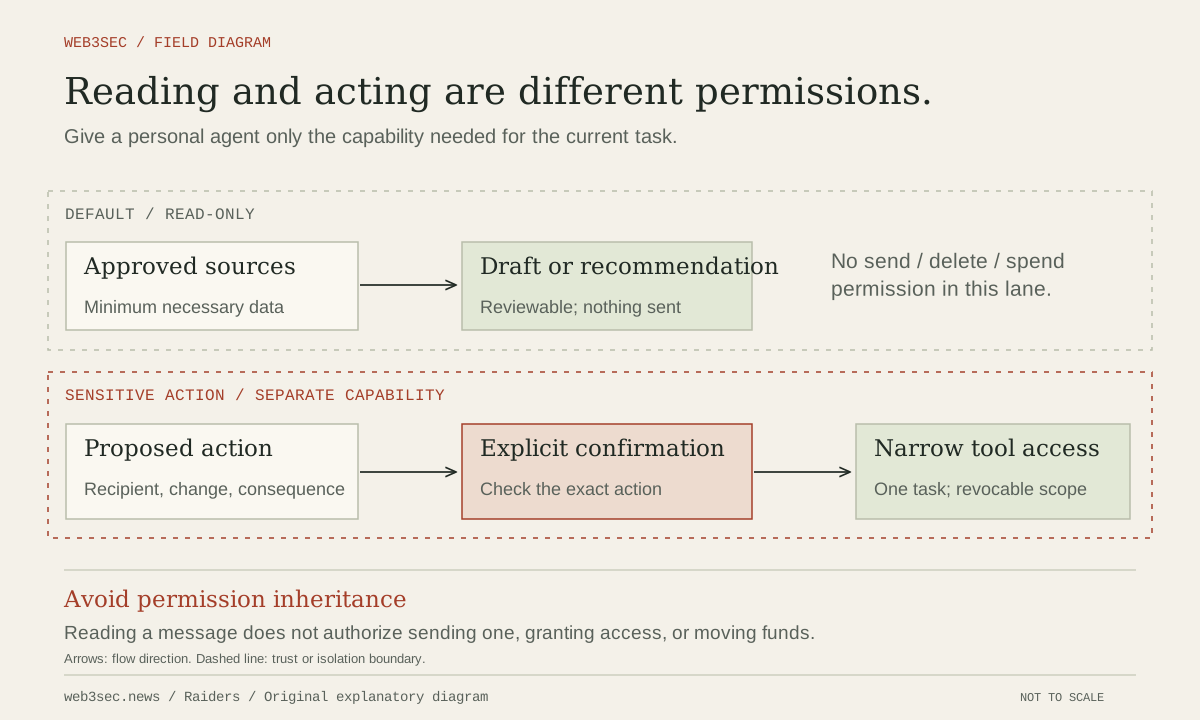
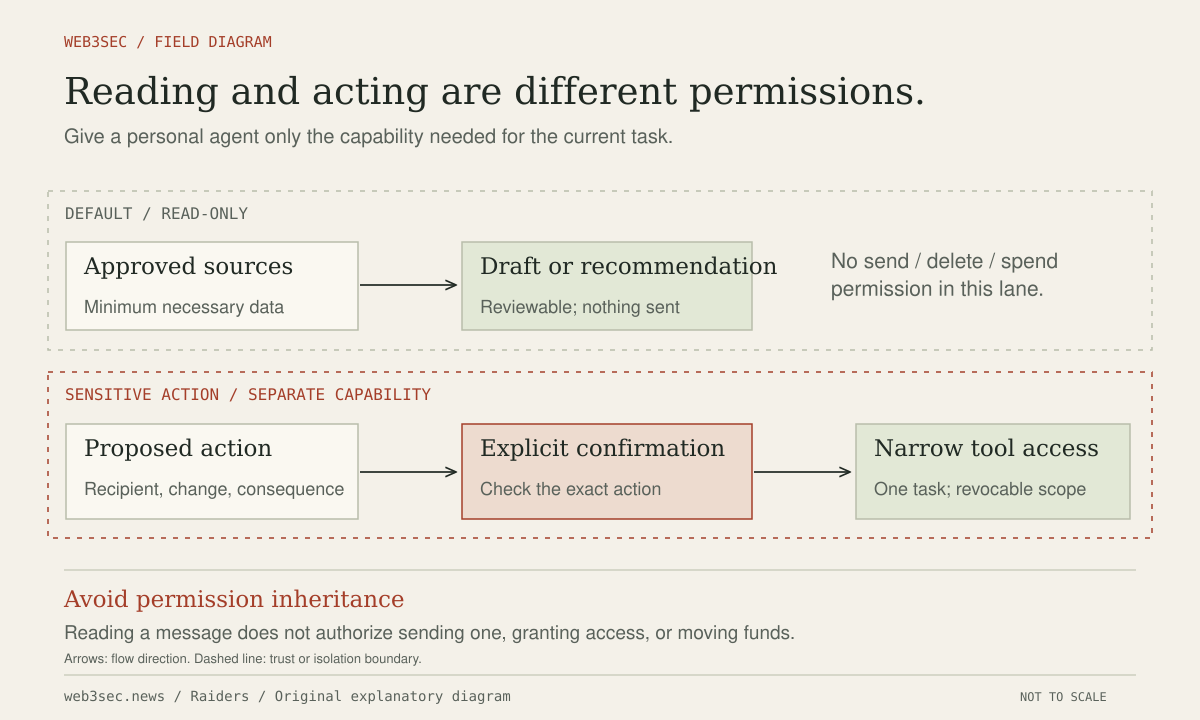
Our operating procedure is to separate reading from account-changing actions and restrict destinations outside the model. Check redirects, new windows and cross-site navigation through the executor’s documented controls. Require review of the actual recipient, content, permission change or downloaded executable before a consequential action. A page-supplied instruction to authenticate elsewhere cannot expand the task or authorize access to an unrelated signed-in account.
Control profile state, downloads and residual access
Review extensions, browser synchronization, persistent storage and download locations before starting. Keep downloaded files in a restricted staging area and avoid opening executables or document macros automatically. Treat the page title, visible instructions and returned tool metadata as untrusted content. Separate task results from persistent browser state so a routine export does not accidentally include a profile archive or authentication material.
Keep an independent way to terminate browser automation and revoke the affected application sessions. Identify connector tokens and background jobs created during the task as separate recovery targets. Review application audit logs after an unexpected action; the browser transcript may describe a proposal without proving whether the server accepted it. Preserve necessary evidence in a restricted record before disposing of the profile.
Test account boundaries with synthetic sessions
Use two test accounts on operator-owned applications and seed the browser with only the intended session. Present harmless content asking the agent to visit the second service, make a test document public or upload a dummy file. Verify that the executor prevents out-of-scope actions or obtains the required independent authorization. Inspect actual application state and network records, rather than treating refusal wording as sufficient evidence.
Then terminate the task and revoke its session through the service’s own settings. Confirm that further authenticated operations fail, including from any preserved profile or scheduled continuation. Repeat when browser controllers, extensions or authentication integrations change. The completion record should identify the profile, reachable account roles, enforced site boundaries and tested revocation behavior, with any unsupported restriction clearly visible to the account owner.
Controls to take away
- Authenticated browser authority can exist without a readable password.
- Cookie flags and agent action permissions protect different boundaries.
- Termination must include persistent sessions and continuations.
Work through the boundary.
These local worksheets turn the review questions into a plan. They do not inspect or change the actual account or environment.
Build a permission review plan ↗
Select the capabilities you are considering and review approvals, revocation and evidence before connecting an agent.
Take this to your next review
Working checklist
Use this as a starting point, then assign owners and record evidence in your team's own system. Checks here reset when you leave or reload this note.
0 of 5 reviewed
Common questions
Does an HttpOnly cookie stop an agent from using my account?
HttpOnly limits JavaScript access to the cookie value. An agent controlling an authenticated browser can still perform actions through the application. Review the session’s permissions and the agent’s tool authority separately.
Is a separate browser profile sufficient isolation?
It helps separate sessions, extensions and history. It does not provide strong containment against a compromised host or a controller that can select other profiles. Verify the actual browser and operating-system boundary.
What should I revoke after an unexpected browser action?
Disable the affected automation, revoke the relevant application sessions and connector grants, and review completed actions. Closing the tab does not necessarily invalidate sessions or scheduled work created earlier.
Sources & further reading
The references below support this note. Adapt the procedures to your systems, access model and recovery requirements.
A correction or a better primary source? Send Raiders the article URL and evidence. Editorial policy.