Verify what you are about to install
Assign an integration owner and record the exact server package or remote URL, publisher, source repository, selected version and intended use. Verify links through an independent official source rather than a chat message or a similarly named package. Inspect how the installation command resolves versions and whether it executes downloaded code immediately. A convenient one-line launcher can combine dependency installation and privileged process execution in a single step.
Review the package contents, entry point, installation hooks and dependency sources before first launch. Determine whether updates are automatic and how configuration changes will be reviewed. Record the approved version or artifact digest and a rollback path. Treat a new publisher, expanded permissions or changed tool descriptions as a new review decision, even when the package retains the familiar server name.
Separate local execution from remote authorization
For a local server, inspect the executable, arguments, inherited environment, working directory, mounted files and outbound network access. Running through stdio does not make the process harmless or prevent it from reading files. Use a dedicated unprivileged environment with only the workspace and credentials needed for the task. Avoid giving it the entire home directory, browser profile, SSH agent or container-engine socket.
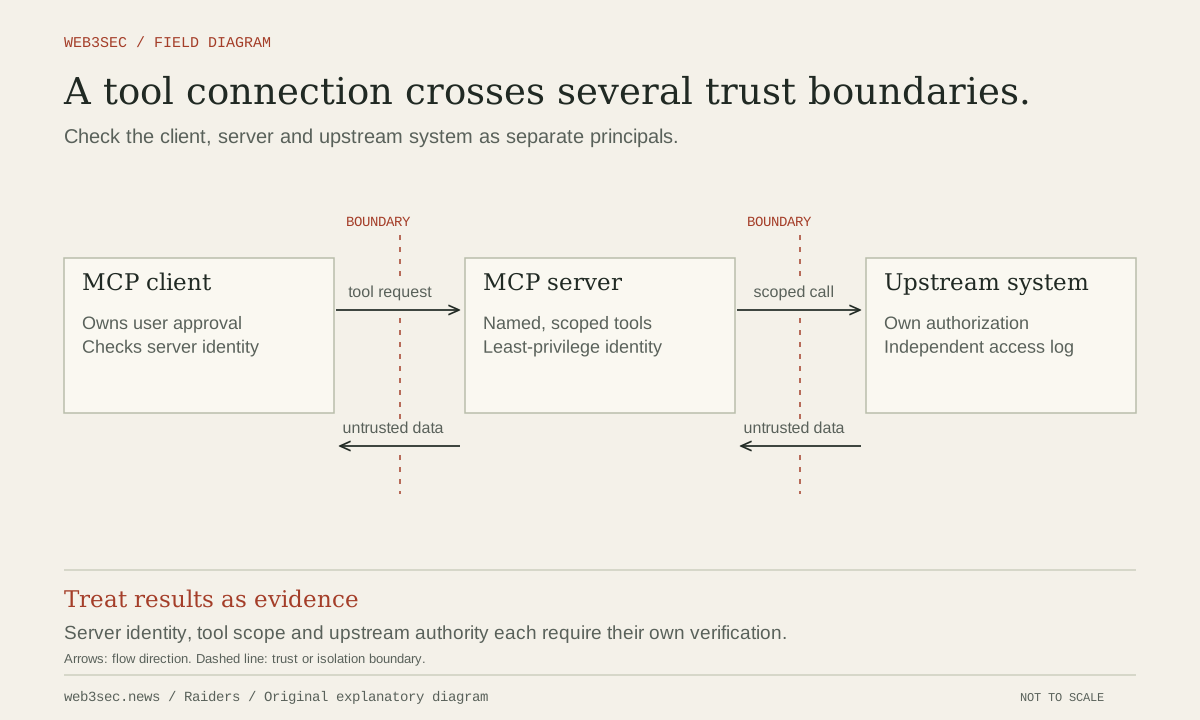
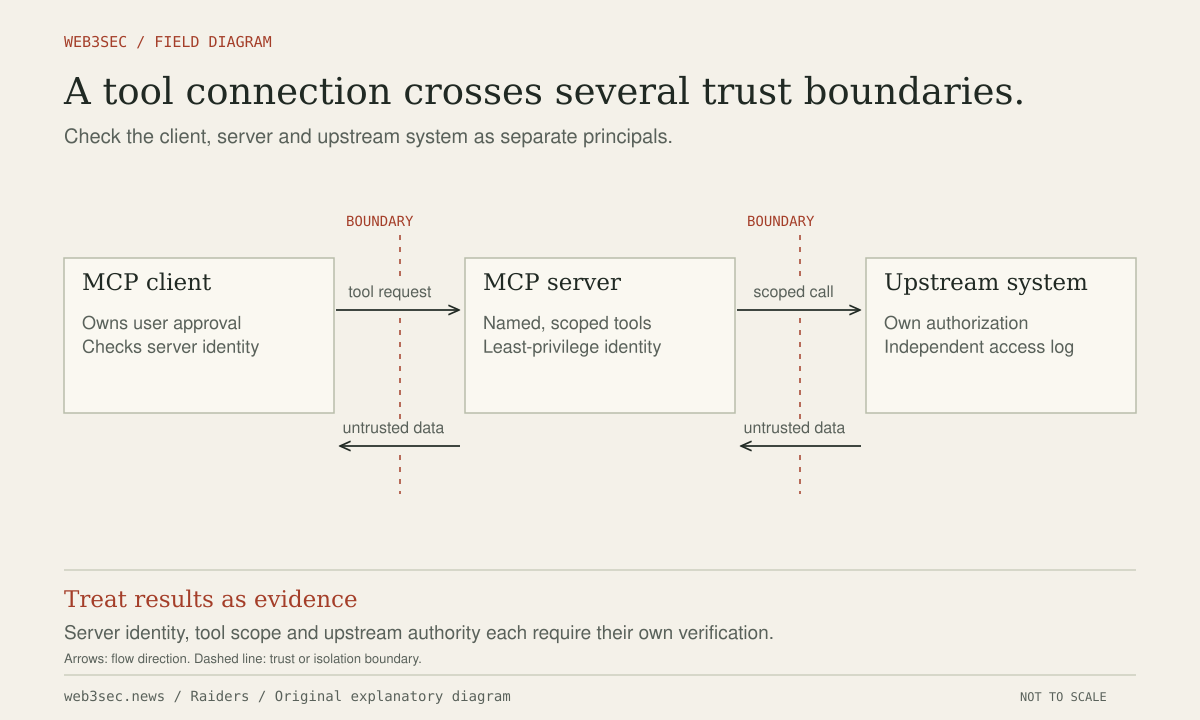
For a remote service, inspect the destination domain, requested account scopes, user and tenant binding, token audience and revocation path. The MCP specification distinguishes server-provided tools, resources and prompts; its security guidance addresses consent, token handling and other implementation risks. Transport authorization should be verified against the current protocol version and provider implementation, not inferred from the presence of an OAuth-looking consent page.
Evaluate the authority of each exposed capability
List the tools the server exposes and classify the actual effect of each: reading a file, running a command, uploading content, sending a message, deleting data or changing access. Inspect whether a read-oriented feature also has arbitrary URL fetching or shell execution. Tool names and descriptive safety annotations are useful metadata, but the executing system must enforce the relevant restrictions.
Our preflight questions are concrete: can this server access data unrelated to the task, send it to an arbitrary destination, install another component or modify the controls that supervise it? Does an approval display the real operation and recipient? Keep the person or service authorizing high-impact actions independent from untrusted content returned by the server. A tool response claiming an urgent configuration requirement does not grant permission to expand access.
Exercise first launch, change and removal
Test the integration against a synthetic account and workspace. Use a dummy file outside the allowed path, an unauthorized network destination and a prohibited write action. Verify that policy rejects each at the boundary even if the server or agent requests it. Record unexpected child processes and outbound connections. Review only the necessary output, since test logs may include configuration or account identifiers.
Disable the server and independently revoke its connected-account authorization, then verify that access fails. Check for scheduled tasks, persistent local processes, generated credentials and uploaded copies left behind. Repeat the preflight when versions, publisher, transport, tool set or granted account scopes change. Approval is complete when both installation behavior and operational authority have been demonstrated, and removal has a tested effect beyond hiding a tool in the interface.
Controls to take away
- Installing a local server is a software-execution decision.
- A familiar tool name is not proof of its actual authority.
- Disconnecting a tool and revoking its credentials are separate operations.
Work through the boundary.
These local worksheets turn the review questions into a plan. They do not inspect or change the actual account or environment.
Prepare the research environment ↗
Check authorization, source, credentials, egress and disposal for the actual lab boundary you will use.
Build a permission review plan ↗
Select the capabilities you are considering and review approvals, revocation and evidence before connecting an agent.
Take this to your next review
Working checklist
Use this as a starting point, then assign owners and record evidence in your team's own system. Checks here reset when you leave or reload this note.
0 of 5 reviewed
Common questions
Is launching an MCP server through stdio a security sandbox?
No. The local executable still has the filesystem, environment, process and network access granted to it. Use a deliberately restricted environment and verify those permissions before connecting real data.
Does a tool’s harmless-sounding name prove it is read-only?
No. Inspect its implementation and effective permissions. A read-oriented feature may also execute commands, fetch arbitrary URLs or upload data, so the runtime must enforce the intended restrictions.
Which updates require another installation review?
Re-review meaningful changes to version, publisher, dependencies, tool definitions, transport, remote destinations or requested account scopes. Compare the actual artifact and test behavior rather than relying on an unchanged listing name.
Sources & further reading
The references below support this note. Adapt the procedures to your systems, access model and recovery requirements.
A correction or a better primary source? Send Raiders the article URL and evidence. Editorial policy.